





















Your Unique Memories

Upload once. Gridly does the rest.
Newest memories, first.

Gridly turns your Google Drive photo folder into a beautiful, automatically updated online album. Add photos to Drive — Gridly syncs them, prepares them for the web, and displays your latest memories first in a clean, modern grid. No website editing. No manual uploads. Just a living photo album.

Live now →www.ralphlovely.gridly.life
Syncs with Google Drive Unlimited photos Available worldwide

↑ live demo · tiles shuffle every 1.4s · click any photo to pop it open

Brand New

Now syncs with your Google Drive photo albums.

Connect once and your existing albums flow straight into Gridly — no uploads, no copying, no duplicates. Your memories, exactly where they already live.

Live example

See and experience a real Gridly site,
live right now.

This is a real family album running on Gridly — built from a Google Drive folder, updating automatically. Click through and explore.

www.ralphlovely.gridly.life

How Gridly works

From Google Drive to Gridly —
automatically.

Connect your Google Drive album

Choose a Drive folder as your album source. Gridly reads it and prepares your photos for a beautiful online display.

01

Upload photos to Drive — from anywhere

Add photos from your phone, desktop, or a shared device. No website admin panel, no manual re-uploads. iPhone HEIC files are converted automatically.

02

Newest memories appear first

Gridly syncs the album and displays your latest uploads at the top — so visitors always see the freshest moments the second they arrive.

03

Why Gridly

Keep your album fresh — without editing a website.

For families, events, and businesses, the hardest part of an online gallery has always been keeping it updated. Gridly fixes that. Your connected Google Drive folder becomes the album — upload there, and your online grid stays current automatically.

  • Google Drive sync

    Upload photos in one familiar place. Gridly keeps the album in step.

  • Latest uploads first

    Visitors always see your newest memories the moment they arrive.

  • HEIC to JPG support

    iPhone photos are prepared for smooth web viewing — automatically.

  • Multiple albums

    Family, Events, Wedding, Travel — give every collection its own grid.

  • Your own custom domain

    Use a domain you already own — like yourname.com — so your album feels uniquely yours.

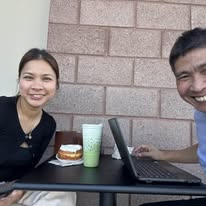
A living photo album of family memories synced from Google Drive

"I just upload to Drive — and the album updates itself."

— what every Gridly user says, eventually

Everything inside Gridly

Small details.
A whole new way to remember.

Every feature was shaped around one idea: make your memories feel alive again, without making you learn a single new thing.

The viewing experience

A gallery that feels alive.

Personal memory gallery

Your family photos, displayed in a clean, beautiful grid built for memories — not file management.

5×5 shuffle grid

25 photos at a time. Every refresh feels new — no two visits look the same.

No-repeat rotation

Every photo gets its turn before the cycle gently begins again. Nothing forgotten, nothing overplayed.

Always-refreshing

The shuffle keeps your gallery feeling dynamic instead of static — like a living photo wall.

Browsing & navigation

Effortless for every age.

Multiple collections

Organize into menus like Just Us, Our Family, and Lovely — one library, many stories.

Active menu indicator

A clear checkmark shows which collection you're viewing, so no one ever feels lost.

Top & bottom menus

Navigation lives both above and below the grid — browse without scrolling back to the top.

Centered menu layout

Visually balanced and easy to find — no hunting for buttons.

Easy visitor navigation

Clear menus and visual cues make Gridly simple for grandparents and grandkids alike.

Photo viewing

Linger on the moments that matter.

Large photo mode

Tap any tile to expand a memory full-size and take it all in.

Back & forward controls

Step through memories one at a time without ever closing the viewer.

Mobile-friendly controls

On phones, navigation buttons sit lower — so they never cover the photo.

Built-in slideshow

Sit back and let your memories play themselves in a smooth, relaxed slideshow.

Performance & polish

Fast, warm, and made for sharing.

New

Syncs with Google Drive

Brand new — connect your Google Drive and your photo albums flow into Gridly automatically. No uploading required.

Unlimited photo uploads

Upload thousands. Tens of thousands. Gridly handles the curation.

Faster photo loading

Smart caching and preloading keep shuffles, menu changes, and slideshows instant.

Optimized for wide screens

A friendly note guides visitors toward the best viewing experience on bigger displays.

Memory count display

See exactly how many memories live in your collection at a glance.

Pastel background styling

Soft, warm tones make every visit feel like flipping through a family album.

Leaderboard section

A playful leaderboard near the bottom adds a touch of family fun and engagement.

Family-oriented experience

Designed to feel emotional and easy — never complicated or technical.

Private collection feel

Curated and personal — ideal for families, couples, celebrations, and legacy collections.

Your own custom domain

Connect a domain you already own — like yourname.com — so your album lives at an address that's truly yours.

Who it's for

A living photo album for families,
events, and businesses.

For families: preserve memories in a beautiful online album that updates the moment new photos land in your shared Google Drive folder.

For events: weddings, reunions, parties, school and church gatherings — keep the gallery fresh as new photos roll in.

For churches, non-profits & community groups: share your mission with members and supporters around the world — and ask us about our discount program.

For businesses & photographers: showcase team highlights, projects, customer events, and client galleries in a clean grid that's effortless to update.

Upload once. Display everywhere. Newest memories, first.

Mission discount

Built for good causes

Perfect for churches, non-profits,
and community organizations.

We believe mission-driven groups deserve a beautiful place to share their story. That's why Gridly offers special discounts to qualifying churches, non-profits, and community organizations — so your photos can reach the people who care, without stretching your budget.

Churches & ministries

Share Sunday moments, mission trips, baptisms, and community events in a beautiful living gallery.

Non-profits

Tell your story with photos from programs, volunteers, and the people you serve — updated automatically.

Community organizations

Clubs, schools, scouts, and local groups can keep members connected through a shared photo grid.

Worldwide

Available in any country
with access to Google Drive.

Wherever you live, whatever device you use — if you can sign in to Google Drive, you can run a Gridly album. No regional restrictions, no special apps, no extra setup.

Turn Google Drive into a
beautiful online album.

Connect your Drive folder and your newest memories appear first — automatically. Free to start.